> ## Documentation Index
> Fetch the complete documentation index at: https://docs.praxis-ai.com/llms.txt
> Use this file to discover all available pages before exploring further.
# Assistant Library
> Browse ready-made assistants for education, development, and general use.
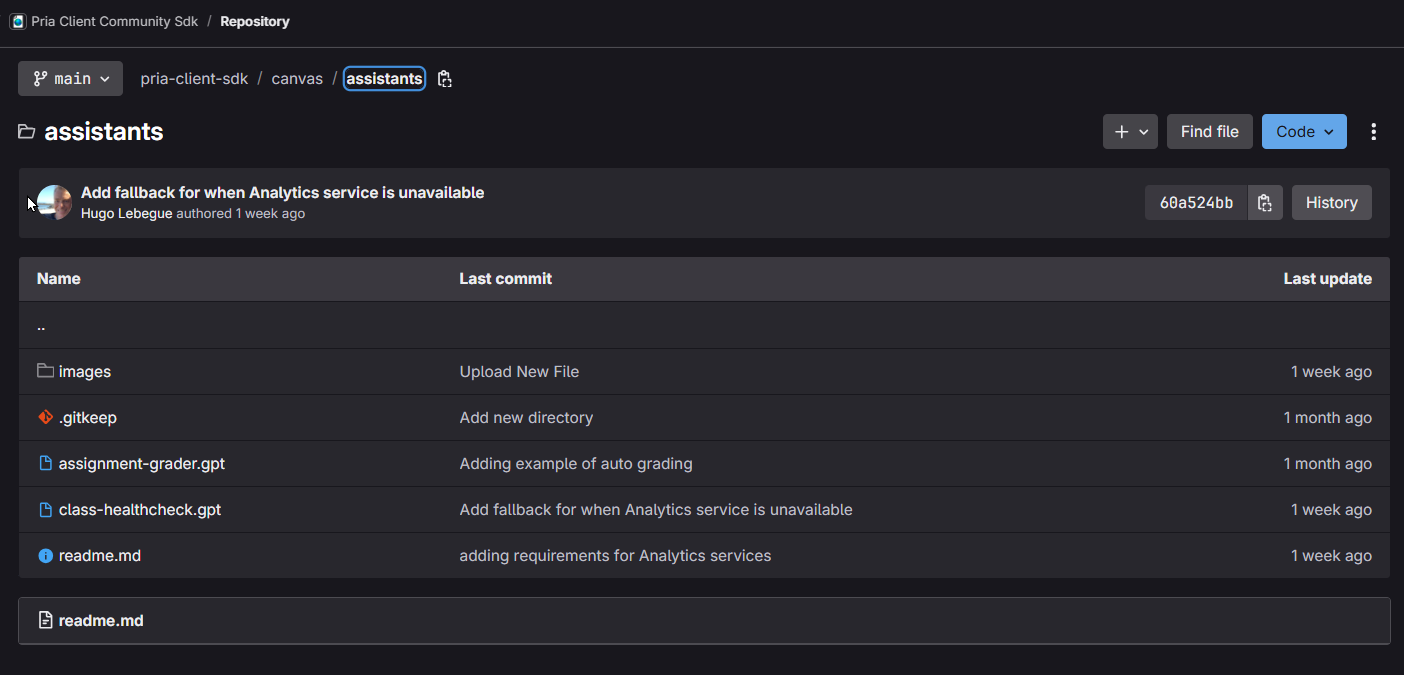
Your digital twin comes with a library of pre-built assistants designed for different needs. Browse by category below, or check our [community repository](https://gitlab.com/praxis-ai/pria-client-sdk/-/tree/main/canvas/assistants) for more.
***
## For Education
Assistants designed by educators and learning experts.
### For Students & Teachers
Prepare for tests through an interactive Q\&A session on any topic. This AI-driven assessment uses tailored questions with immediate feedback to help students increase test scores by up to 40%.
Discover solutions through thoughtful questioning. This tutor never gives answers directly—instead it guides you to find them yourself, building critical thinking and lasting understanding.
Deepen your understanding by evaluating the AI's explanations. This innovative approach reverses traditional roles, letting you provide feedback on the AI's work.
A personalized language coach that corrects grammar while engaging you in conversations tailored to your interests and skill level.
Generate bibliography entries in TeX format from publication URLs, DOIs, and other identifiers. Saves researchers time and ensures consistent citations.
### For Teachers Only
Create a complete course syllabus in under 6 minutes. Answer 6 questions about your course and receive a comprehensive, tailored syllabus.
Create customized AI prompts for repetitive teaching tasks like lesson planning, quiz creation, and developing explanations for students.
Identify at-risk learners before they fall behind. Monitors Canvas data to flag students with missing assignments, low engagement, or declining performance.
Automated grading that retrieves student submissions from Canvas, evaluates them against rubrics, and posts grades with comprehensive feedback.
***
## For Developers
Assistants built for software development and coding.
Systematic code review through a three-phase approach. Identifies bugs, security vulnerabilities, and performance issues with severity-ranked findings and targeted fixes.
Interactive programming tutor that adapts to your chosen language and skill level. Offers hands-on exercises with real-time feedback.
### Using the Code Analyzer
1. **Start a conversation** with the Code Analyzer assistant
2. **Submit your code** for analysis
3. **Review findings** ordered by severity with an overall quality assessment
**Iterative improvement:** After implementing fixes, re-submit your code in the same conversation. The assistant will mark resolved issues with ✅, track your quality grade progression, and highlight remaining areas needing attention.
***
## General Purpose
Assistants for everyday tasks and personalization.
Start fresh dialogues on any topic. This general-purpose assistant adapts to your needs and uses available tools to personalize responses.
Answer tailored questions about your learning preferences and goals. Your responses are stored for future interactions, making all your conversations more relevant.
Consolidates scattered preferences across conversations into organized, efficient memory—improving personalization while reducing token usage.
***
## Community Assistants
The community contributes to building new assistants. Browse and contribute at our GitLab repository:
Browse education-ready assistants created by the community, or contribute your own.