

Introduction
This guide walks Blackboard Learn administrators through adding the Praxis LXP as an LTI 1.3 Advantage tool, and shows instructors how to place LXP content in a course.Prerequisites
Before you begin, ensure you have:- Blackboard Learn administrator access (the Admin page)
- The LXP’s Client ID (above)
- Your organisation’s LXP credentials and role ID, for the product you’re registering. Request them from the Praxis AI team at humans@praxis-ai.com.
- Network requirements met (whitelisted domains, third-party cookies)
Register the LXP
Open LTI Tool Providers
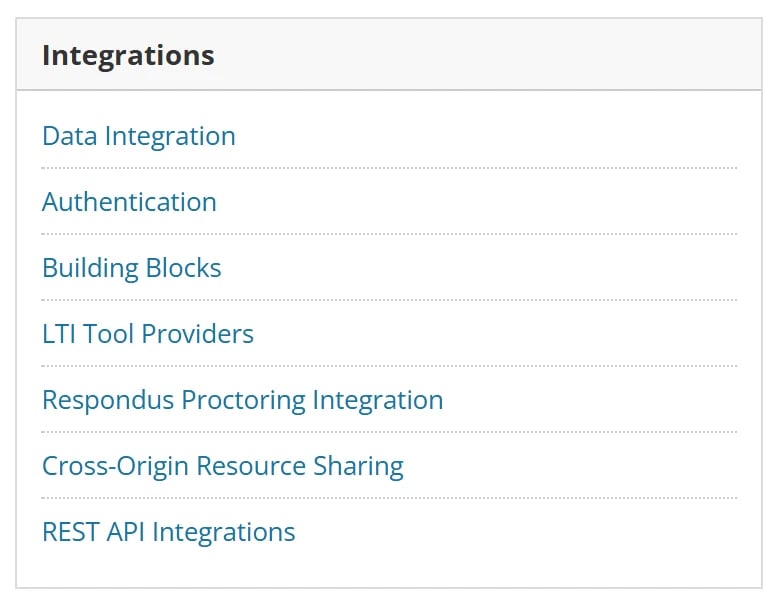
The Integrations section of the Blackboard Admin page
Register the LXP with its Client ID
7ed260b0-2318-4f97-9406-c8e7dc8ac25d, into the Client ID box, and select Submit.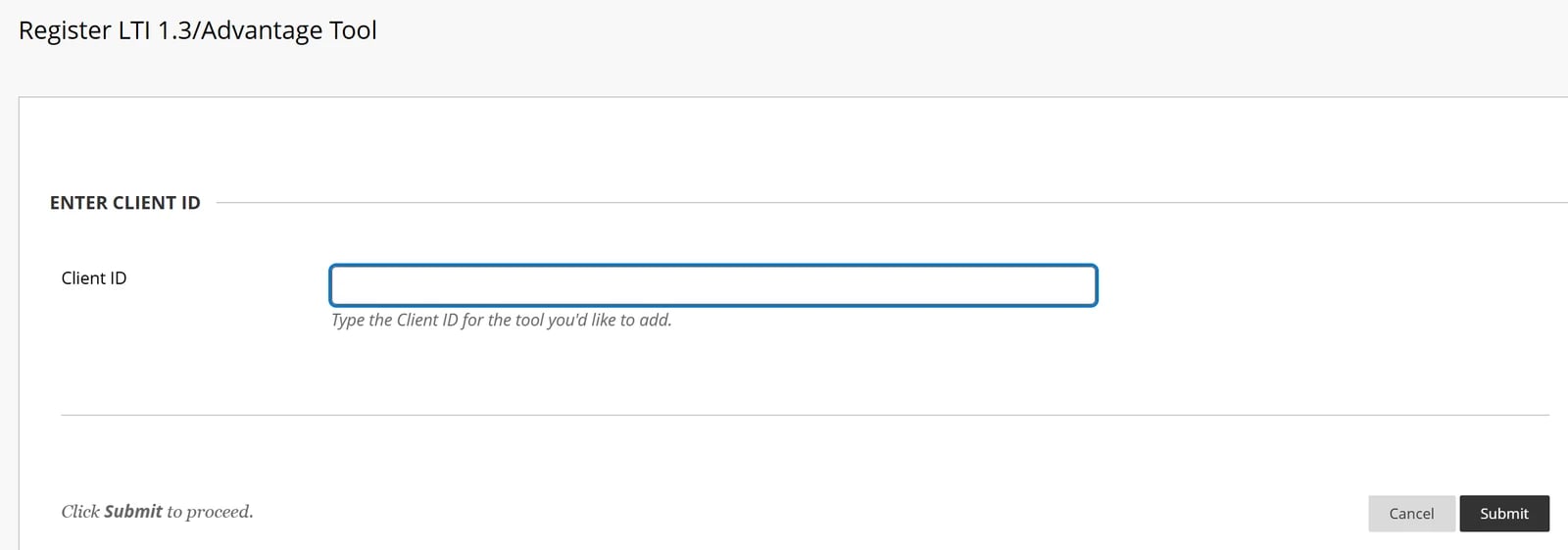
Register LTI 1.3/Advantage Tool asks only for the Client ID
Check the LXP's details and approve it
lti.praxislxp.com, and addresses on https://lti.praxislxp.com. It also shows the Default Deployment ID, which identifies your Blackboard site; keep it in case the Praxis AI team asks for it.Tool Status starts as Excluded. Select Approved.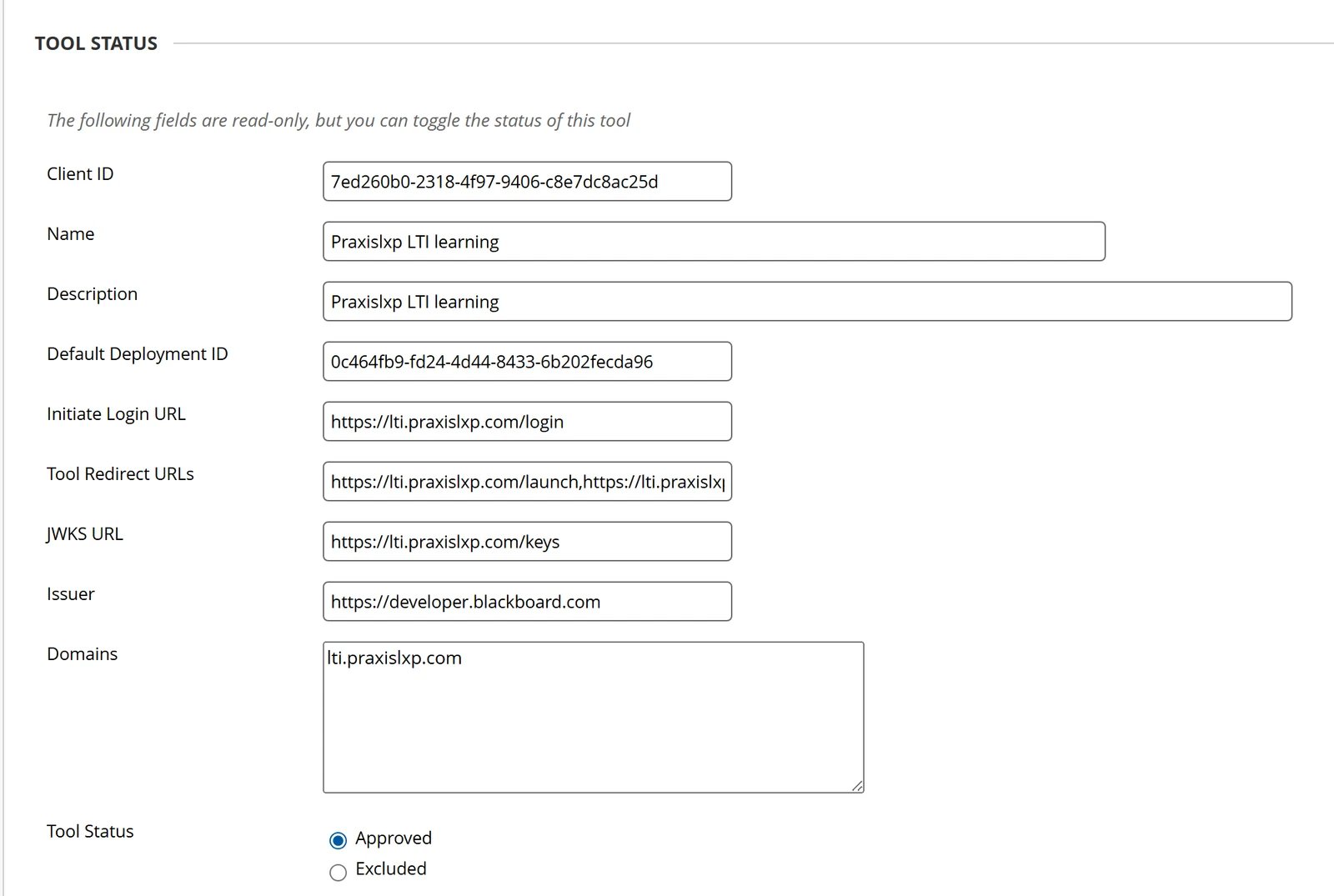
The LXP's registration details, with Tool Status set to Approved
Enter your organisation's custom parameters
name=value per line:Set the institution policies
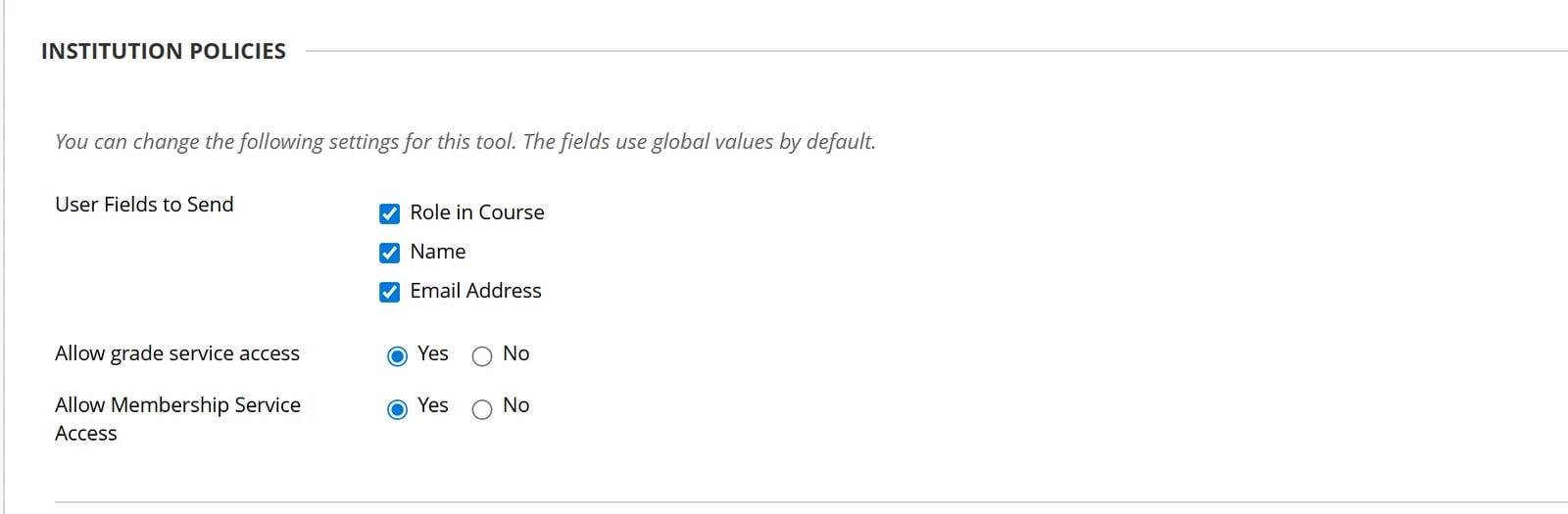
Institution Policies set for the LXP
Check the LXP's placements
https://lti.praxislxp.com:- Deep Linking content tool: opens the LXP’s resource picker so the instructor can choose a course or cohort. This is the one to use.
- Course content tool: adds a plain LXP link that doesn’t say which course or cohort to open, so it doesn’t launch LXP content.
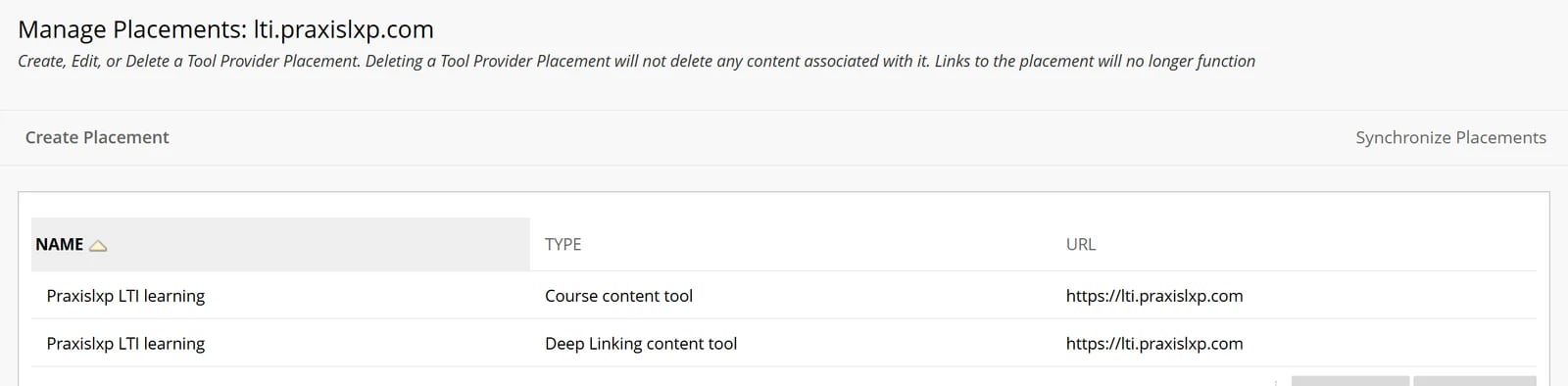
The LXP's two placements
Add LXP Content to a Course
Open Content Market
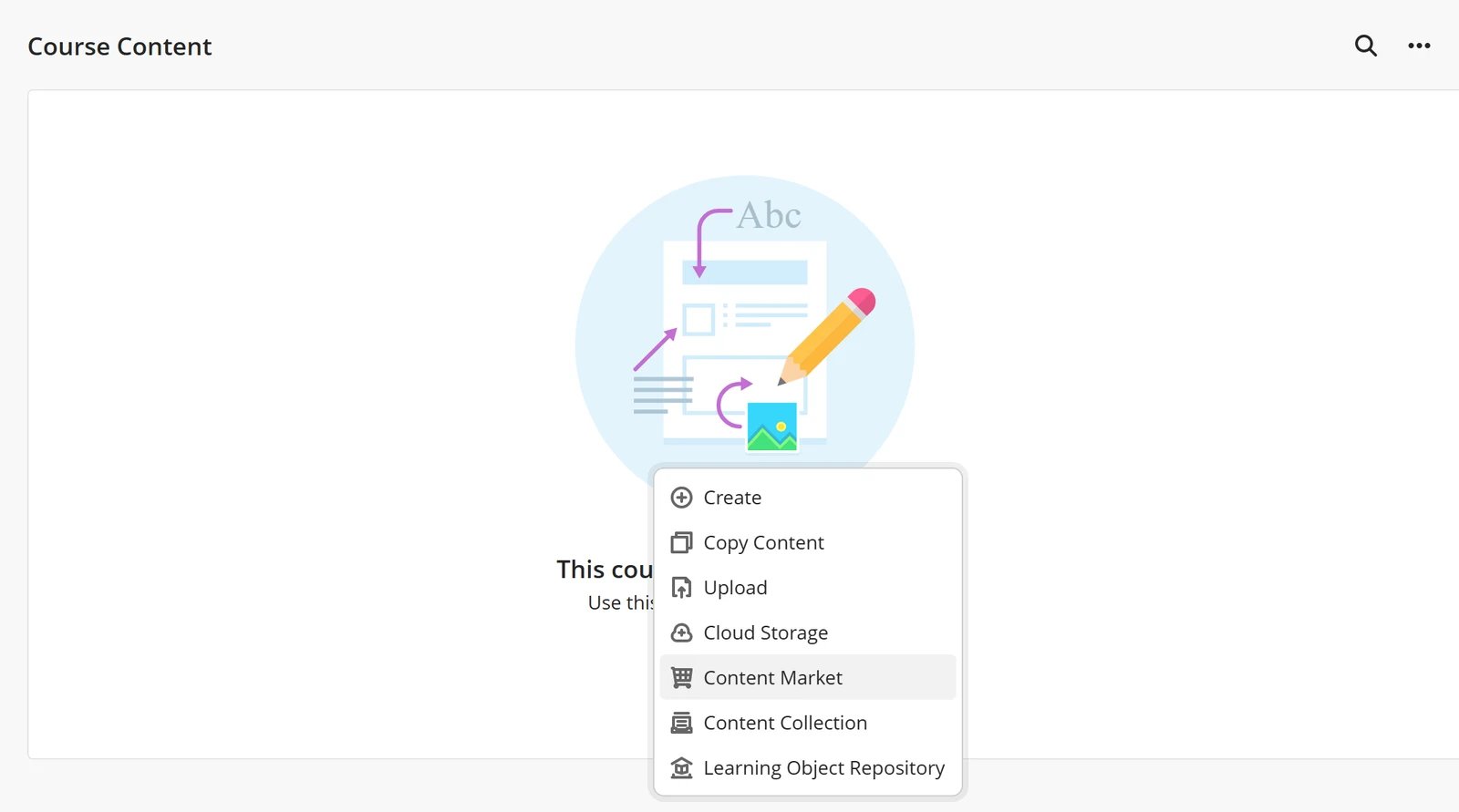
Content Market in an Ultra course's add-content menu
Pick LXP content
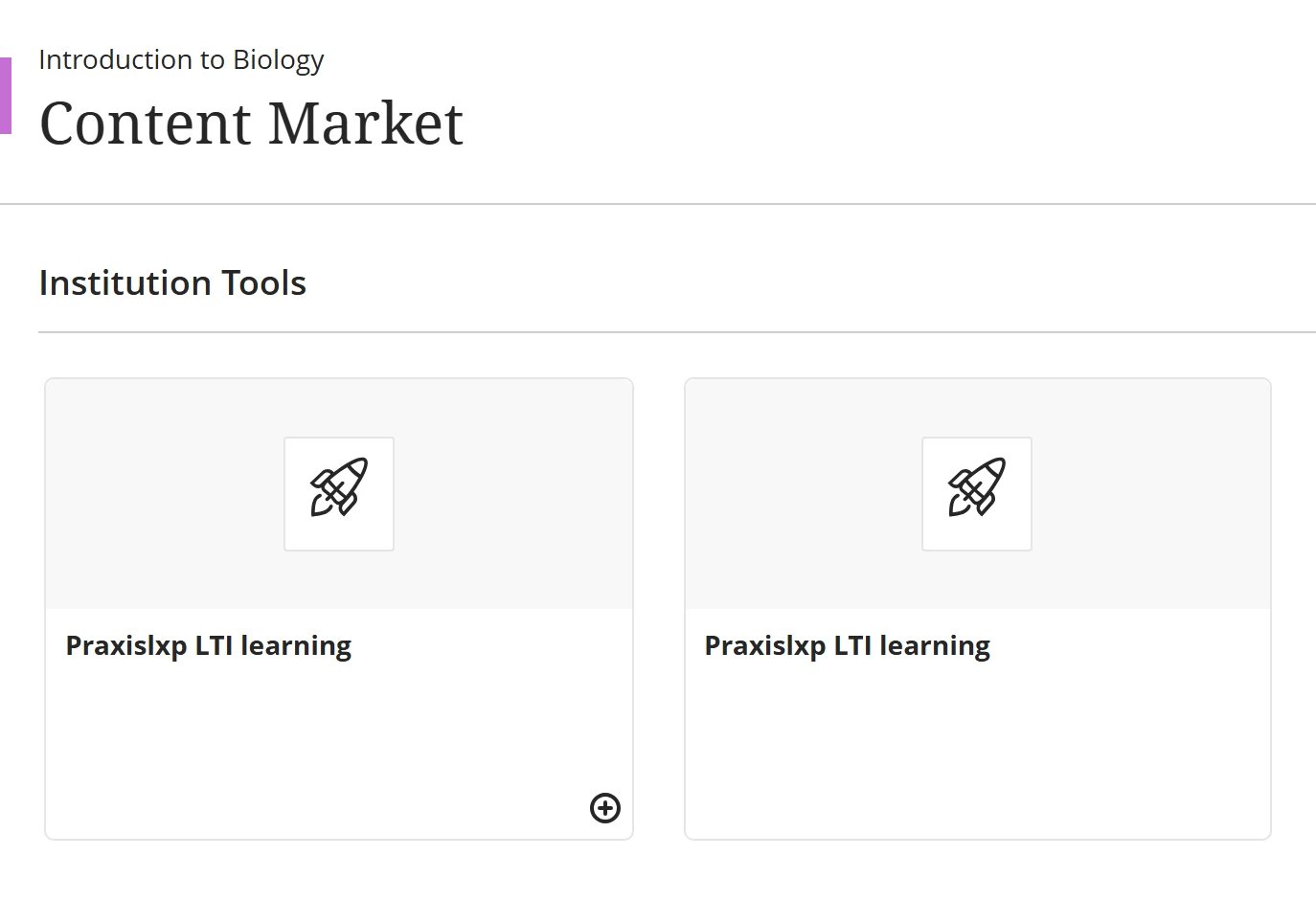
The LXP's two cards in Content Market
Show it to students
What Learners See
The LXP item appears in the course content with the title and description of the cohort or course you picked.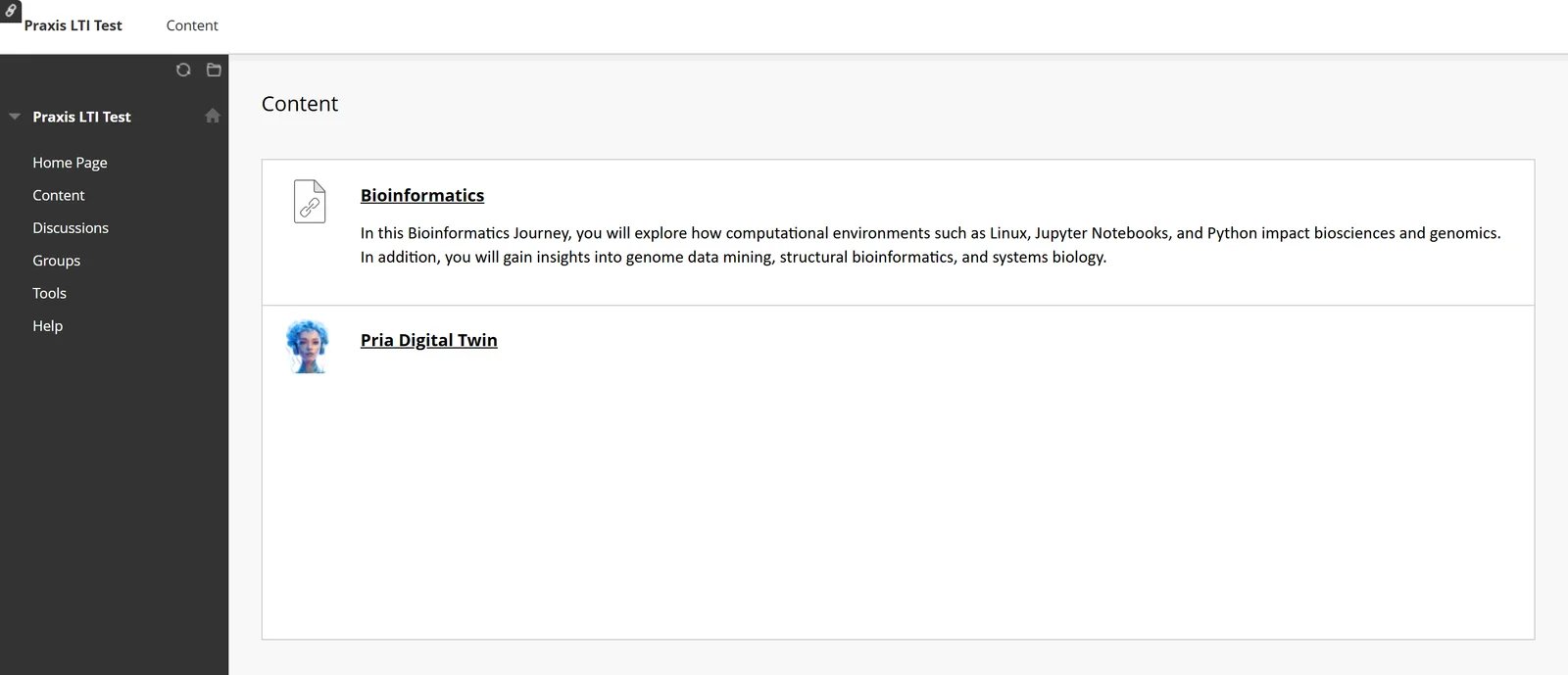
A course's content with an LXP cohort (Bioinformatics) and a Pria item, as a student sees it (Original course view)
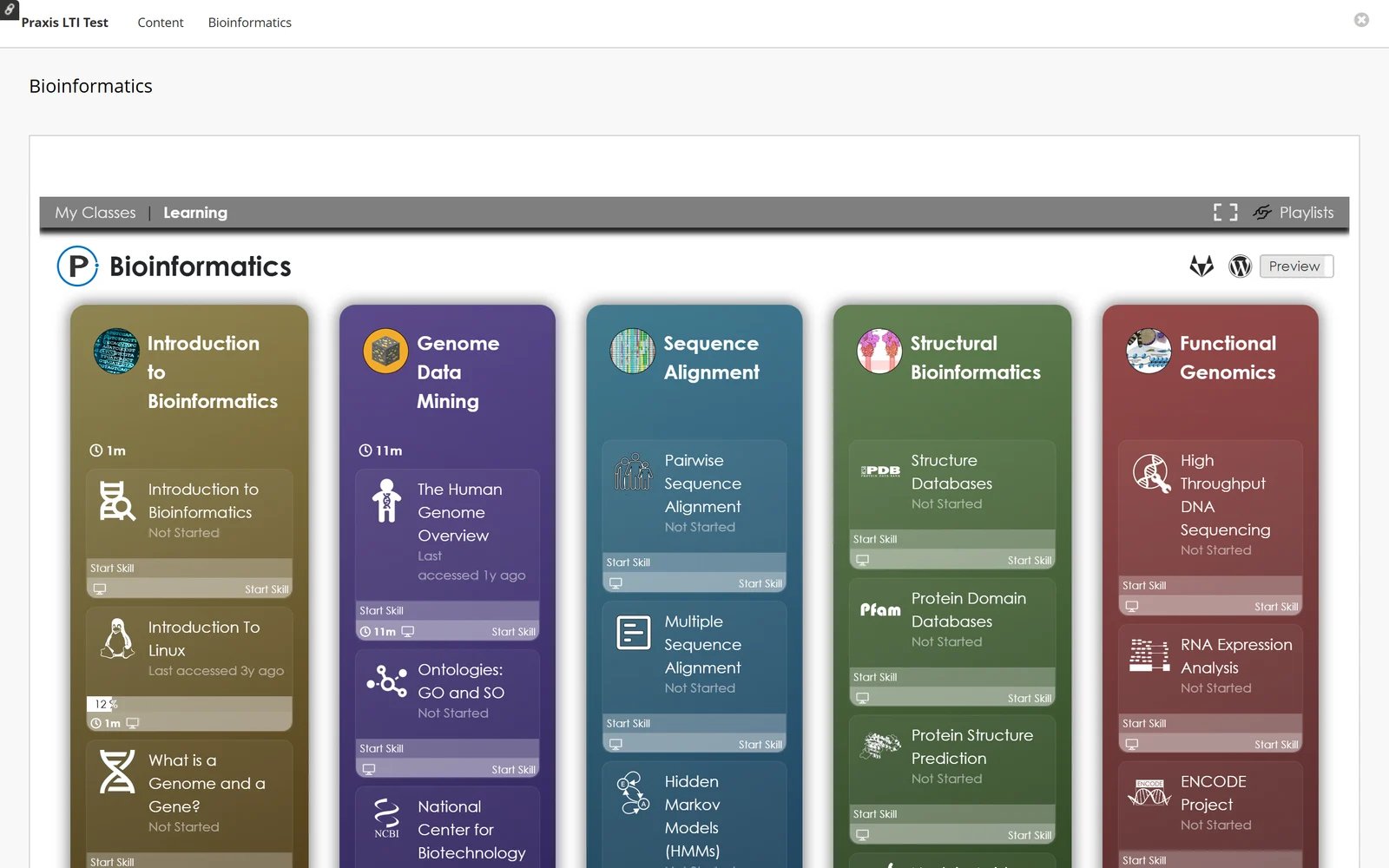
The Bioinformatics cohort, opened from Blackboard and signed in as the learner
Troubleshooting
Related
- LTI Integration Overview — endpoints, network requirements, direct access
- LTI 1.3 for Canvas — Canvas installation
- LTI 1.3 for D2L Brightspace — Brightspace installation
- LTI 1.3 for Moodle — Moodle installation
- Pria in Blackboard Learn — install the Pria Digital Twin (separate tool)