When configured by your institution, your digital twin can search content in your LMS (Learning Management System, such as Canvas or the Praxis LXP) — assignments, pages, the syllabus, discussions — right from chat.Before it can do that, you connect your LMS account once. The first time you ask a course question, Pria gives you a link to your LMS’s own consent screen, which shows exactly what access you’re granting. Approve it and you’re done — Pria keeps the connection alive in the background, and you stay in control: you can disconnect at any time from your profile.
1
Ask Your Question
Start by asking your digital twin about your coursework:
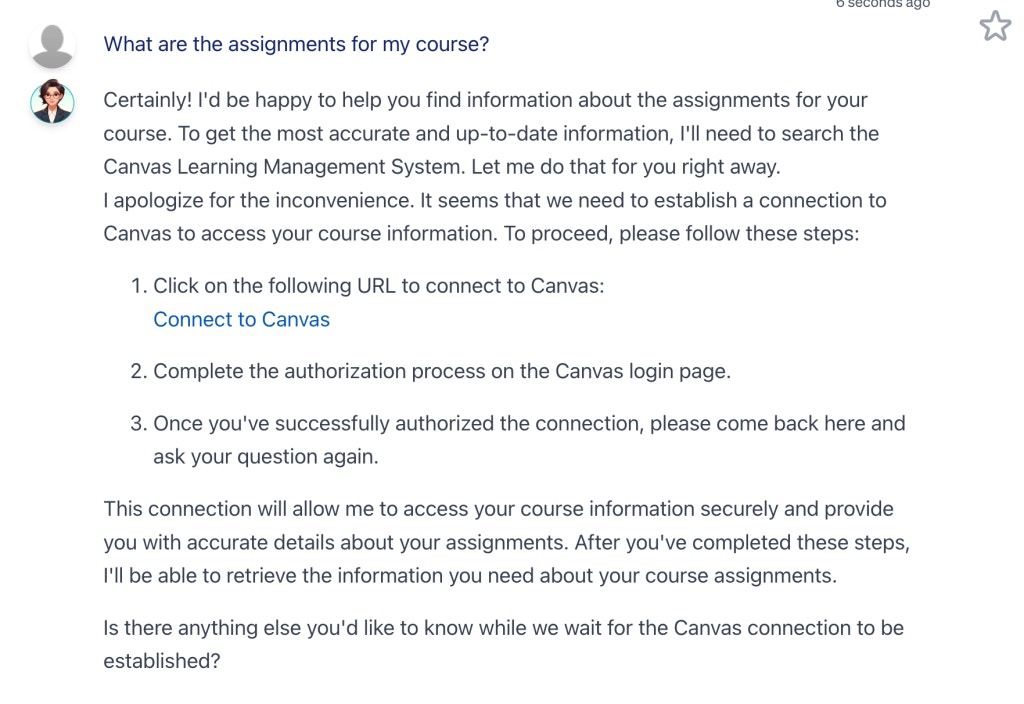
What are the assignments for my course?
2
Connect to Canvas
Click the Connect to Canvas link to establish the connection with your LMS.
Your digital twin provides direct links to your Canvas LMS for easy access to assignment details.
This link is unique to your Digital Twin and is re-created every time an access token is needed to connect to your LMS.
3
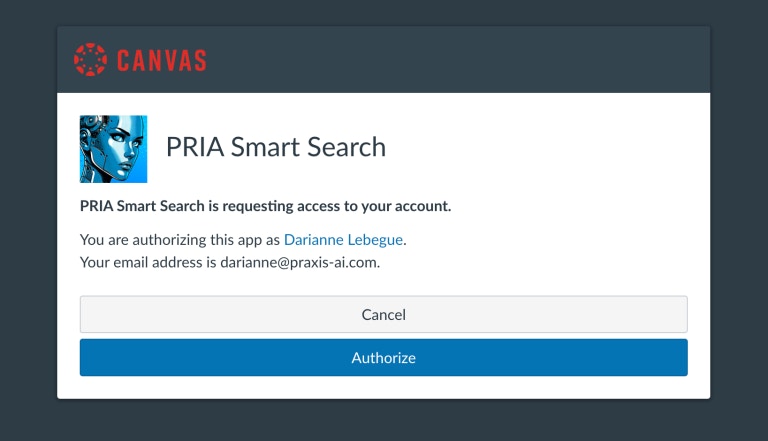
Authorization Request
Click Authorize to grant your digital twin access to your LMS.
Authorizing gives explicit consent to use Canvas
4
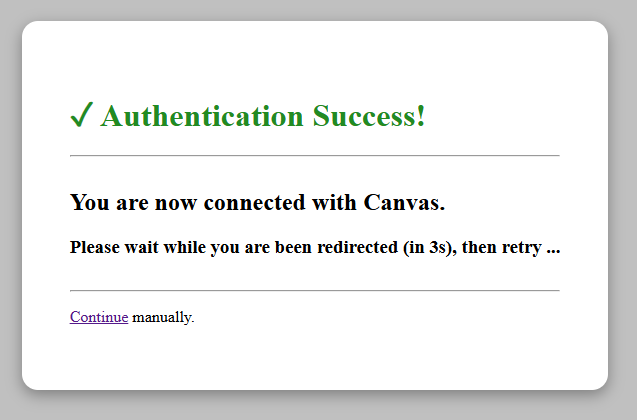
Authorization Response
The LMS confirms the authentication as successful and redirects you back to Pria.
After successful authentication in Canvas, the user is redirected to Pria.
5
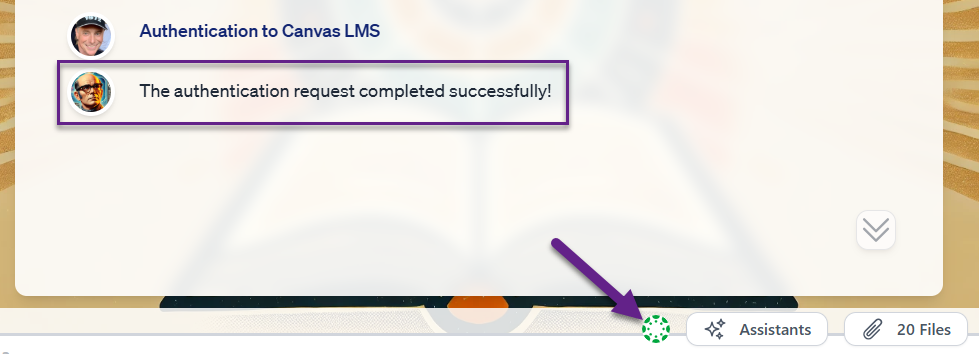
Return to Pria
A new Authentication request completed successfully! message is added to the list, and an access token is now visible in green (active) on the input bar.
Upon completing the OAuth2 authentication flow, a valid access token is created and visible in the input bar.
6
Return and Ask Again
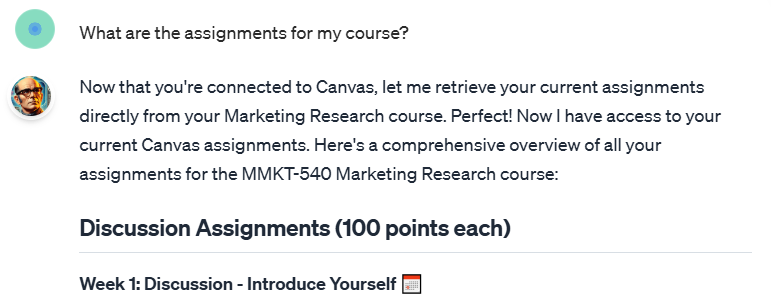
You can now retry your question:
What are the assignments for my course?
Your Digital Twin connects securely to your LMS and retrieves the information.
Content is retrieved from Canvas and displayed on screen.
The connection renews itself automatically in the background — you won’t be asked to re-authorize during normal use. If it ever expires completely (for example, after revoking access on the LMS side), Pria simply gives you a fresh consent link the next time you ask a course question.
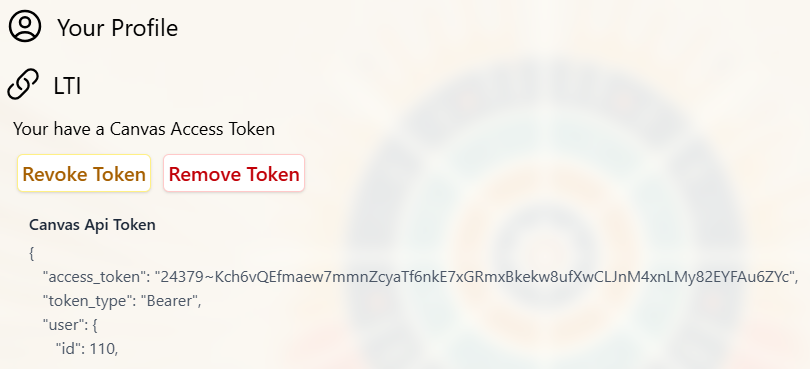
You can revoke or remove the connection at any time from your Profile page.
You can revoke or remove your access token in your profile page