

There’s no model switcher floating in the chat box. The model a conversation uses is set per Digital Twin (and, optionally, per assistant) by whoever configures it.
Why the model matters
Different jobs deserve different tools, and that’s why Pria supports many models.Cost
Smaller models burn far fewer credits per turn. For brainstorming or quick lookups, a lightweight model is plenty.
Speed
Compact models reply in seconds. Reserve the slower, larger ones for when you actually need depth.
Depth
Frontier reasoning models (Claude Opus, GPT-5, Gemini 3 Pro, Grok 4) plan, reflect, and self-check before answering — best for analysis, long planning, and nuanced writing.
Specific capability
Some models read images, some have million-token context windows, some power live voice. The right model is the one whose strengths match the task.
Which model am I using?
To see exactly which model produced any answer, hover the response and open View Details (the icon). The Conversation History card lists the Model that answered, alongside performance and credit details.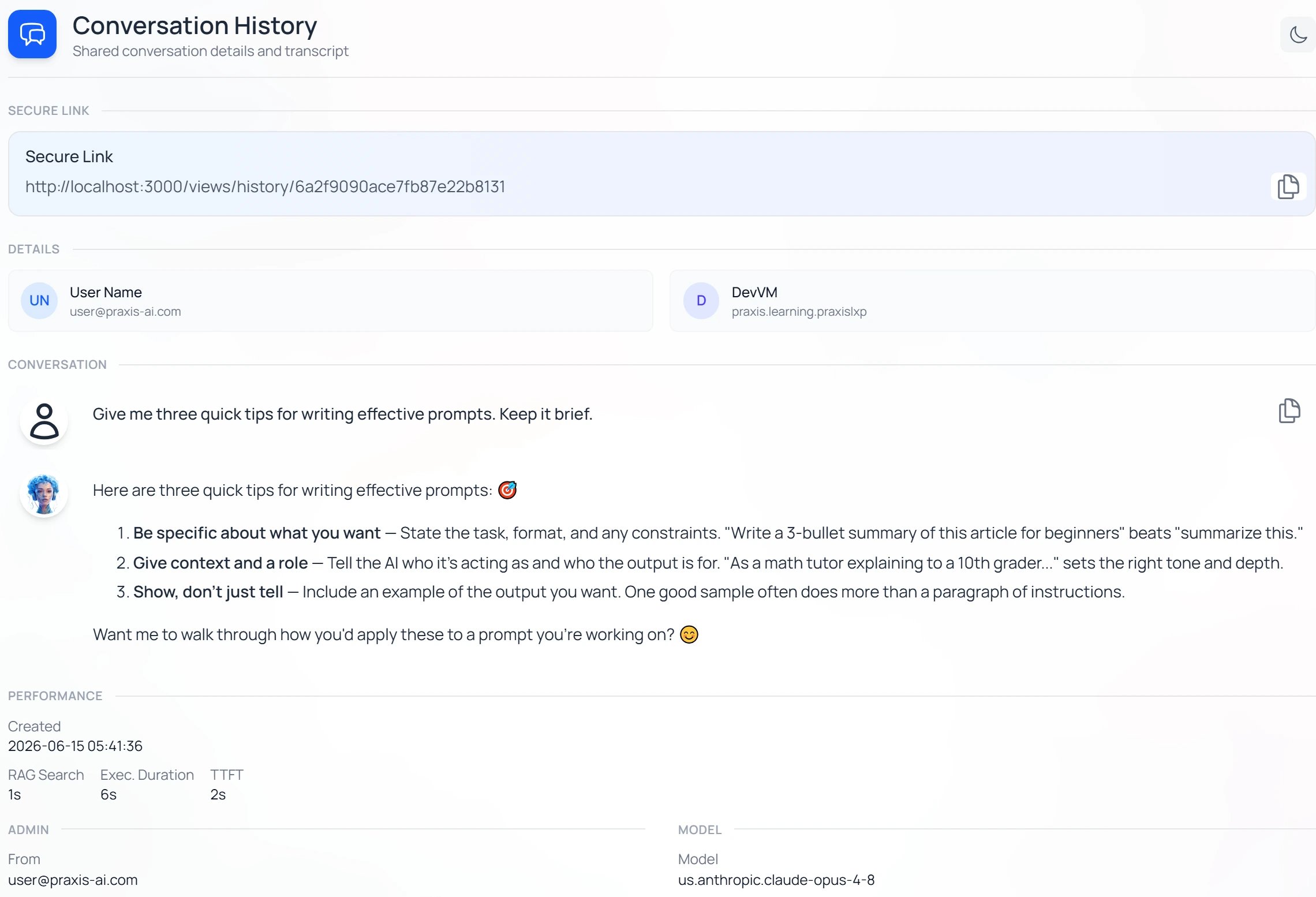
View Details → Conversation History shows the model that answered, with timing and credit cost.
A spoken conversation may name a different model. A twin can run its voice on a different model from its typing, so a saved Convo Mode conversation names the one that actually spoke — on a twin with an Anam avatar it reads Anam Response Model, matching the setting in Instance Settings rather than the twin’s typing model.
Setting your Twin’s model
If you manage a Digital Twin, open [+] → Settings in the message box and choose the row with your Digital Twin’s name to open Instance Settings, then select Conversation. The Conversation Model dropdown sets the model; expand Model Options to browse the full catalog.
Instance Settings → Conversation: the Conversation Model dropdown defaults to “-- Default --”; expand “Model Options” for the full catalog.
The dropdown’s first choice is labeled
-- Default --. Leaving it there means the Twin uses Pria’s current default model — a balanced, reliable choice the Praxis AI team keeps up to date, so you automatically benefit when it’s upgraded. You don’t have to chase model releases yourself.Reading the model catalog
Model Options lists every available model, grouped by provider. Use the Filter providers checkboxes (one per provider, plus Show Deprecated) to narrow the list. Each row shows the model’s Input Size and Output Size (how much text it can take in at once — its context window — and the longest reply it can write), an indicative Price $/1M tokens (a token is roughly four characters of text), and a set of Features icons summarizing what it can do.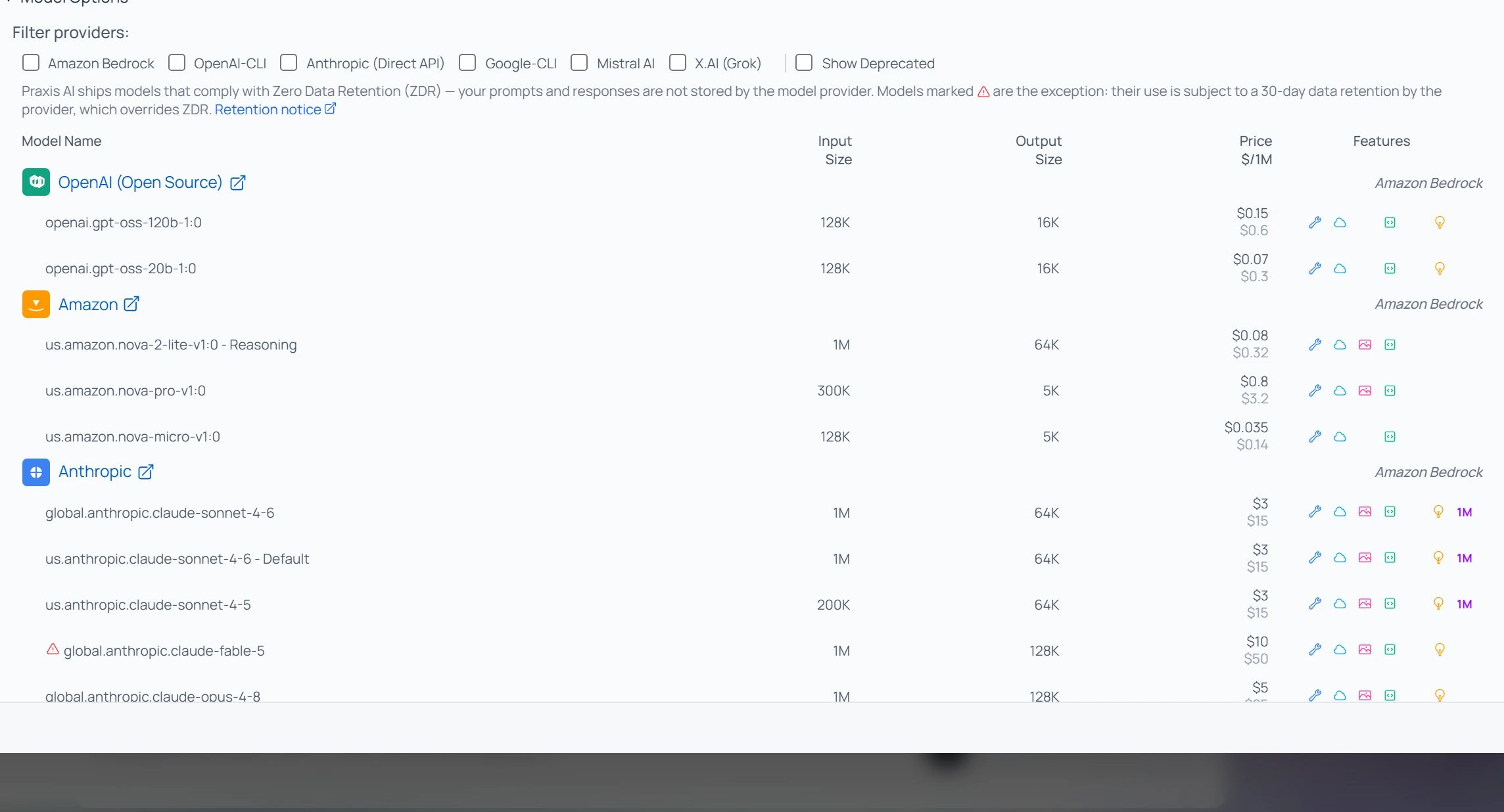
The Model Options catalog: filter by provider, then compare each model's input/output sizes, price per 1M tokens, and Features icons.
Pria ships models that comply with Zero Data Retention (ZDR) — your prompts and responses aren’t stored by the model provider. A few models are exceptions, marked with a warning in the catalog; using them accepts the provider’s 30-day retention.
Custom Models
If your organisation has configured its own model — a self-hosted endpoint or one bound to your own provider key — Instance Settings → Conversation shows it as a card labelled Custom AI Model, with its name and a Configure button, in place of the model dropdown.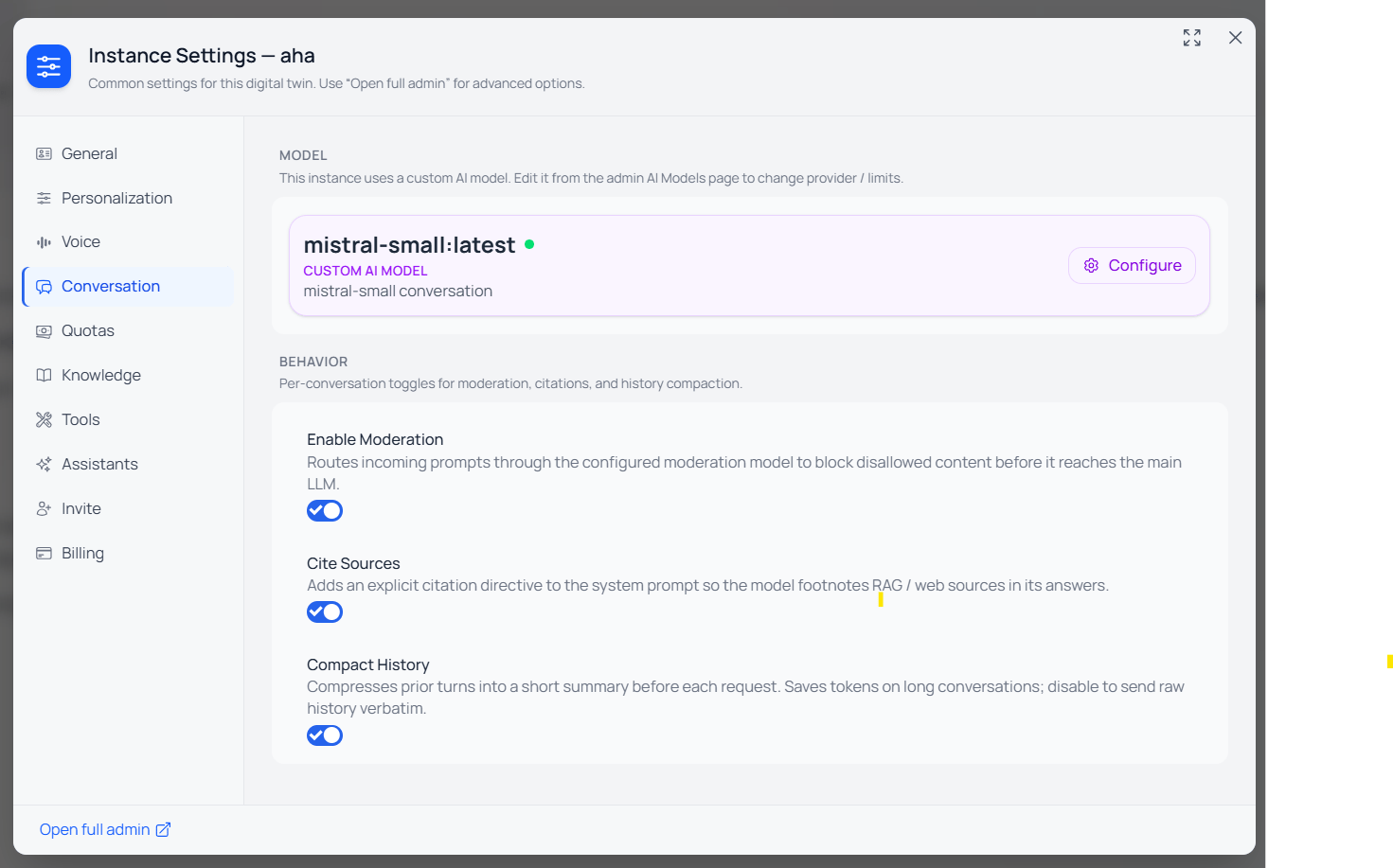
A Twin that uses a Custom AI Model: Instance Settings → Conversation shows the model's card with a Configure button.
Per-assistant model
An assistant (a specialized persona you pick in the Assistants window) can run on its own model. When you build or edit an assistant, the Conversation Model field — with the same-- Default -- option and Model Options catalog — lets you pin the model that best fits that persona’s job.
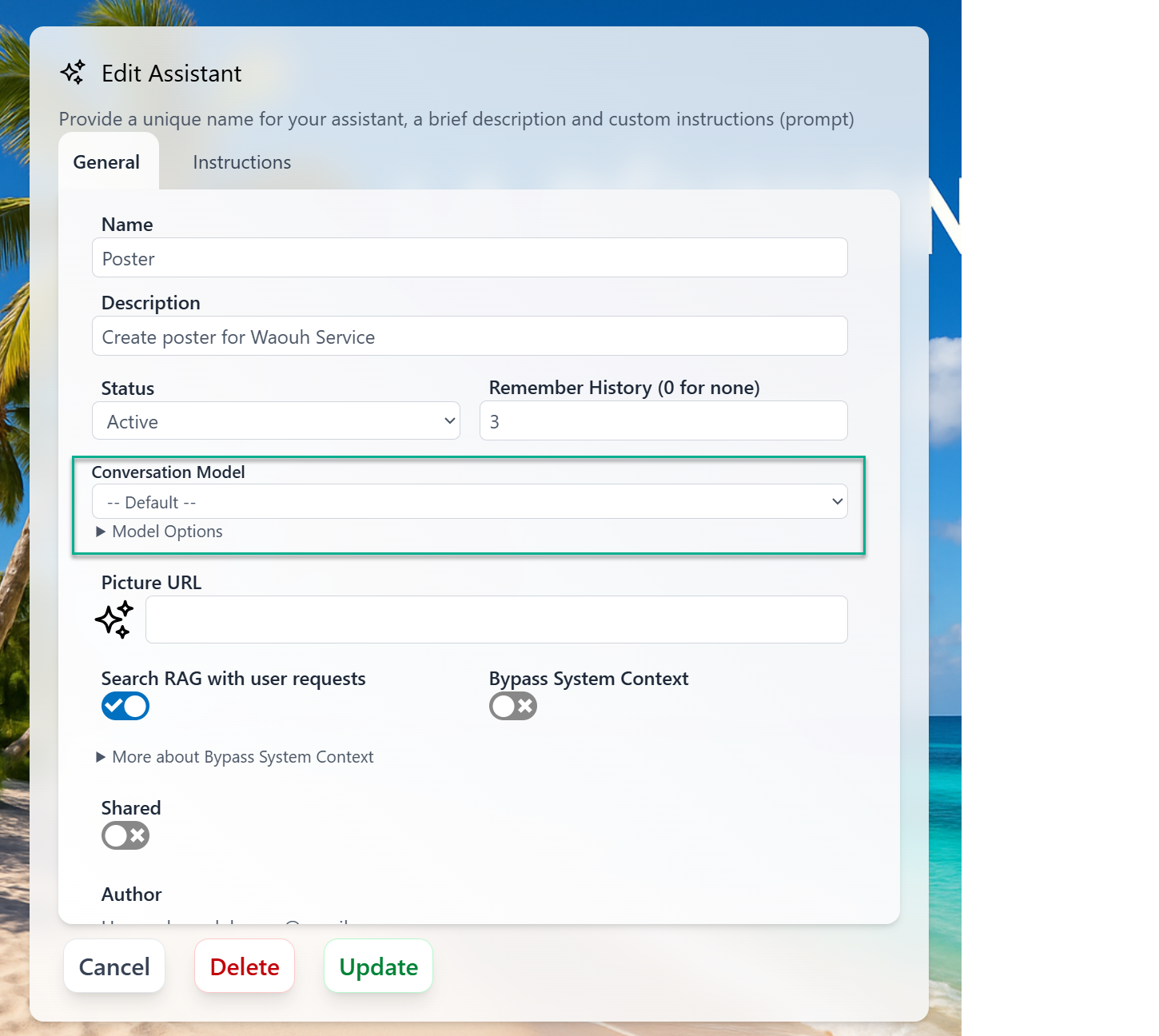
Edit Assistant → Conversation Model: pin a specific model to a persona, or leave it on the Twin default.
-- Default --.
Getting a different model
If you manage the Twin
If you manage the Twin
Open Instance Settings → Conversation → Conversation Model and pick the model — or set it on a specific assistant instead, so only that persona changes.
If you're a member of someone else's Twin
If you're a member of someone else's Twin
You use the model the Twin is set to. Choose an assistant whose model fits your task, or ask whoever administers the Twin to adjust it. For organisation-wide model requests, contact the Praxis AI team at humans@praxis-ai.com.
If you use your personal Pria
If you use your personal Pria
Your personal Pria uses Pria’s default model, which you can’t change. A Digital Twin of your own lets you choose its model — see Create Your Digital Twin.
Related
- Reasoning & Thinking — control how deeply a model thinks before answering.
- Input and Responses — the composer and the View Details card in depth.
- Knowledge Modes — how the model uses your uploaded files.
- Assistants — building and using model-pinned personas.
- AI Models (Admin) — configuring the model catalog and Custom Models for a Digital Twin.
- Credits — how model choice affects credit spend.