One thing, three names. In these docs we call your assistant a Digital Twin. You will also see it called an Instance — on the Instance Settings panel, in the admin Instances list, and in your web address (
your-instance.praxislxp.com) — and an Institution, which is what our software calls it behind the scenes (in API fields such as institution). All three mean exactly the same thing: one assistant, with its own knowledge, voice, members and settings. Which name you see depends on the screen you are on, not on what the thing is. An Account is different — it is the organisation that owns one or more Digital Twins.Integrate Your Digital Twins with Canvas
There are two ways to put Digital Twins inside Canvas: across your whole Canvas account, or course by course. This page helps a Canvas administrator choose between them.Custom Theme (Preferred)
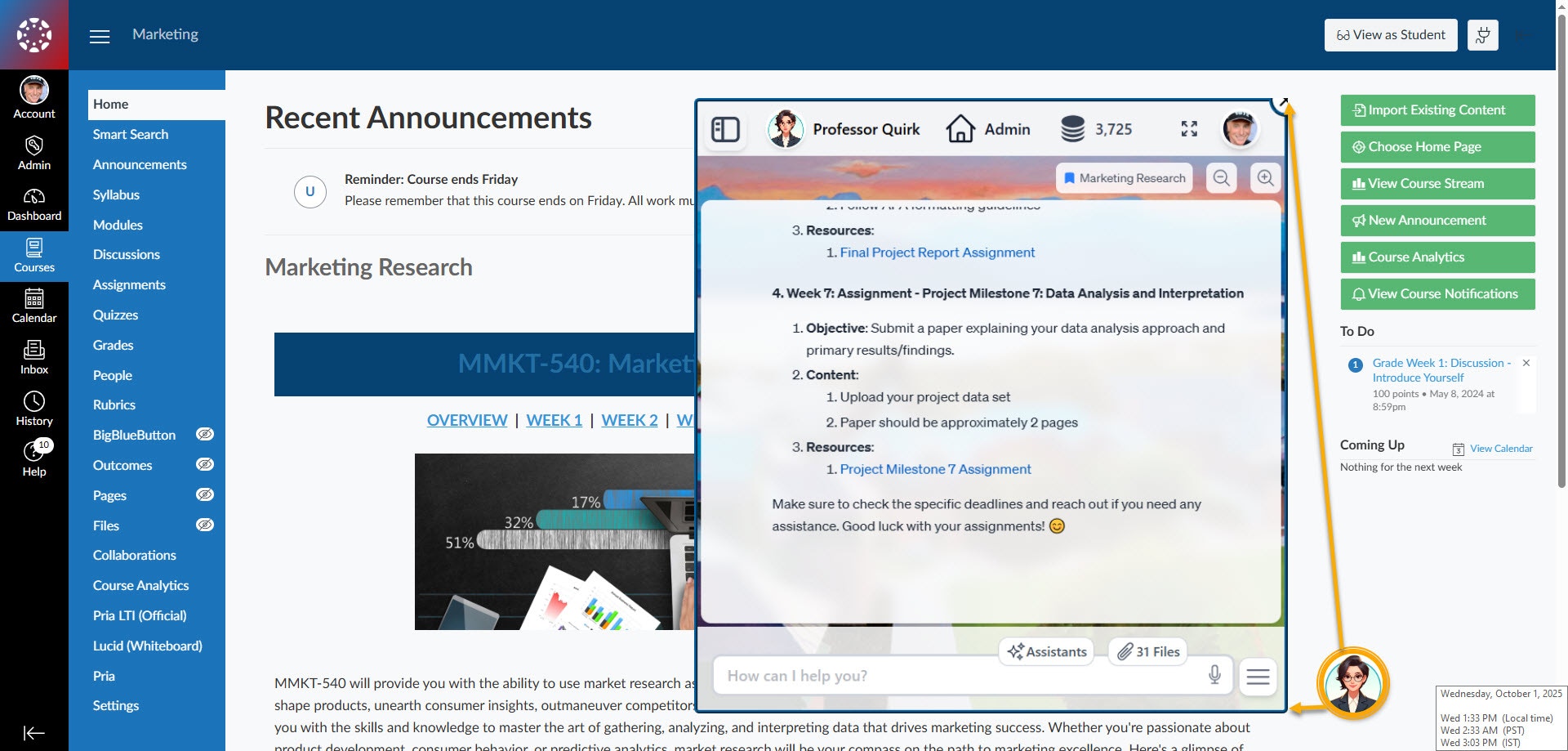
Enable Praxis AI across your Canvas account as an overlay: a Canvas administrator assigns a custom Canvas theme.
- Praxis AI appears as a floating assistant button on course pages.
-
Consistent, branded experience across all sub-accounts.
LTI v1.3
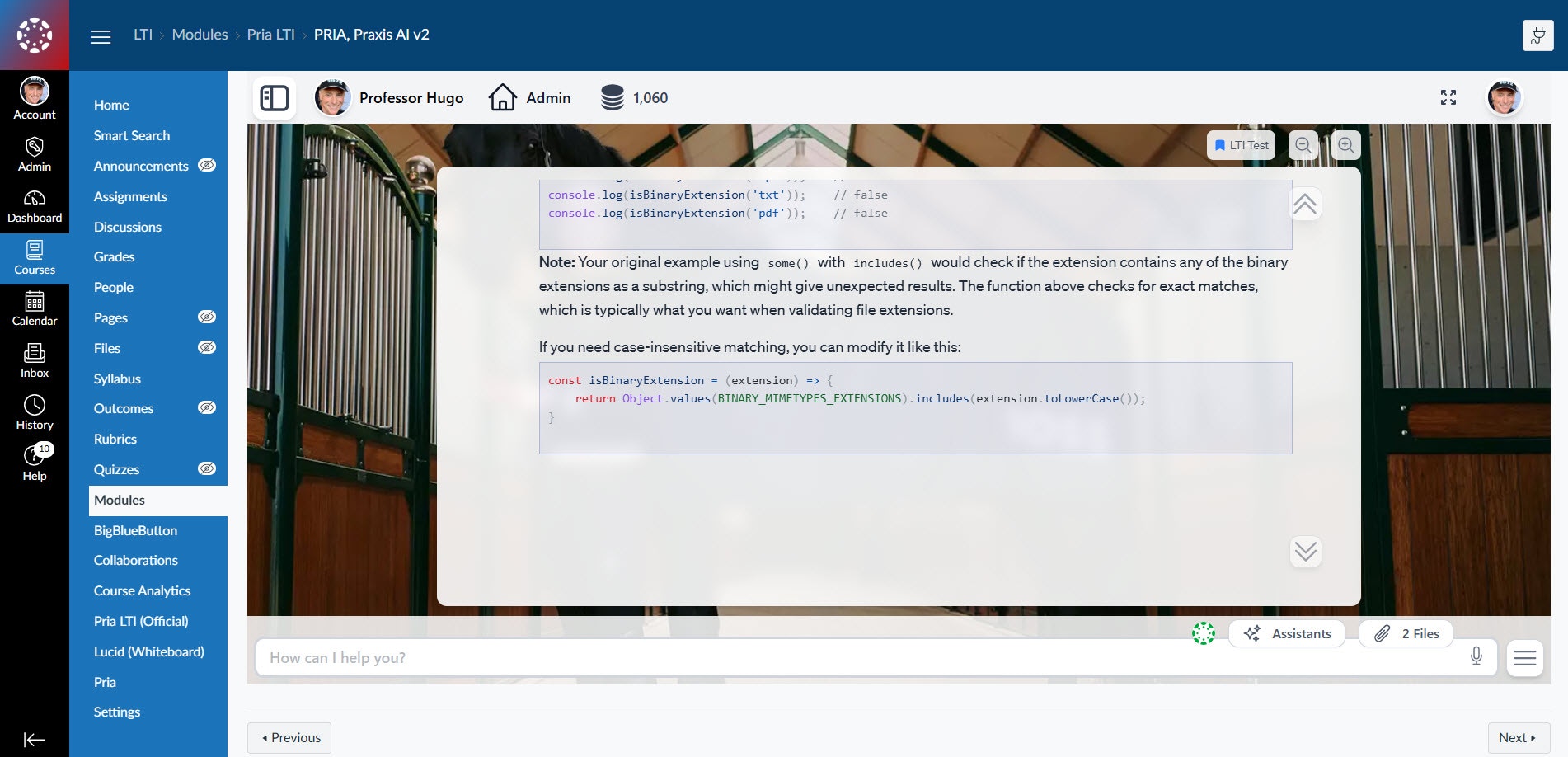
Add Praxis AI on a course-by-course basis using Canvas LTI v1.3 integration.
- Faculty place Praxis AI as a specific module or activity within courses.
-
Students access assistance only where configured by the instructor.
Connect Your Digital Twin to Canvas
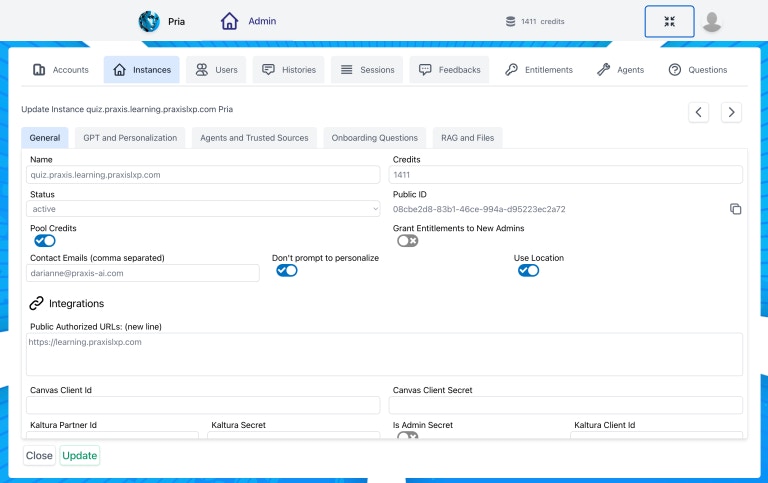
Configure your Digital Twin for intelligent, course-aware interactions with Canvas, enabling secure access and use of your school’s course content.Pria Tools for Canvas
Enable the Canvas tools to:
- Allow your Digital Twin to communicate directly with your Canvas instance.
- Make your Digital Twin contextually aware of the course it supports.
-
Seamlessly leverage course materials and resources for personalized assistance.
Add UI Widgets and Integration Tools to Your Theme-Based Integration
Download the Theme Tools library to add widgets and buttons that control your Digital Twins through the Canvas UI.Custom Theme with Tools
Add the Canvas Tools to:
- Add several useful widgets, buttons and context menu options
- Send messages to your digital twin dynamically while interacting with Canvas elements
-
Trigger assistants such as Auto-Grader, Class Health Check, and more