

Image Analysis
Using a vision model, Pria can describe an image, identify objects, plants, or places, read the color palette, and extract text (OCR-style). Upload an image to your vault, or paste a public image URL, then ask.Prompt
Prompt
Transcribe Audio & Video
When you upload an audio or video file, Pria automatically extracts the speech as a text transcript and adds it to your vault. Large files are split and processed in parts. Once the transcript is ready, you can ask questions about what was said.1
Upload an audio or video file from the [+] menu (file, URL, or drag-and-drop).
2
Wait for the Included status — the audio has been transcribed and indexed.
3
Ask questions about the content in plain language.
Prompt
YouTube Transcripts & Playback
Give Pria a YouTube link and it can pull the transcript with timestamps, optionally save it to your vault, summarize it, or play the video inline at a specific moment.Prompt
Prompt
Prompt
The short share form of a link (the
youtu.be/… URL) tends to work most reliably.Play Audio & Video Files
When a file’s URL is known — including ones you’ve uploaded — you can ask Pria to play it inline.Prompt
Prompt
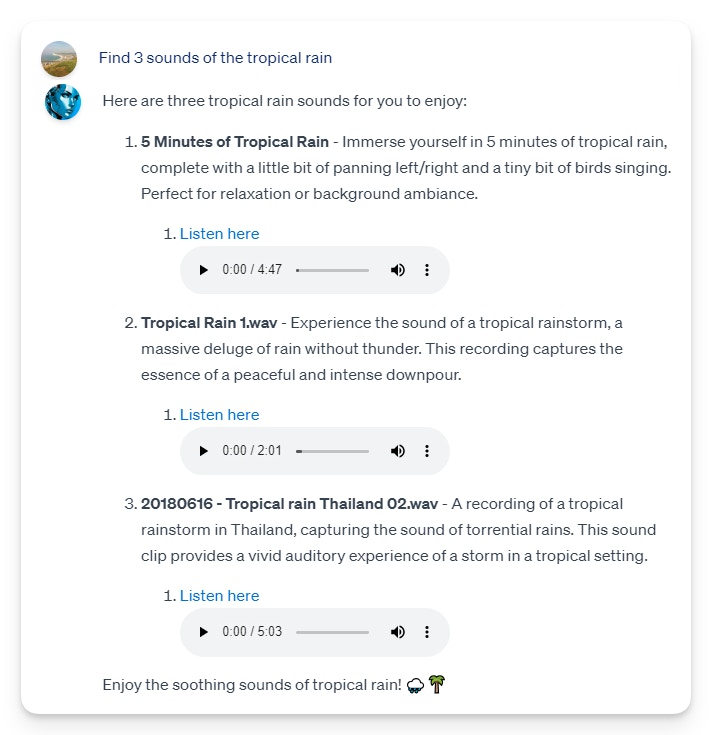
Find Sounds
Pria can search the FreeSound library for sound effects and clips.Prompt
Tips & Limits
- On your personal Pria, image analysis, transcription, YouTube transcripts and sound search come with the Media tool set — pick it in [+] → Tools (the recommended Minimal set has none of them); see Choosing Your Tools. In a Digital Twin, its administrator chooses the tools.
- Audio and video uploads are supported up to the general file-size limit (150 MB per file); media larger than about 25 MB is automatically split into parts for transcription.
- Transcription accuracy depends on audio quality — clear speech with minimal background noise transcribes best.
- Transcribing media and analyzing images consume credits, like any AI action.
Related
- Managing Files — uploading media and the file action menu
- Audio Notes — record voice memos that get transcribed into your vault
- Generating Images — create images from a description