

What is the IP Vault?
The IP Vault is your personal file storage. When you upload documents here, your digital twin can read and reference them when answering your questions. Simple workflow:- Upload your files (PDFs, documents, spreadsheets, etc.)
- Ask questions about your content
- Get answers that reference your uploaded materials
File Security: All files in the IP Vault are protected by a three-tier access control system — Public, Private (default), and Confidential. See File Access Control for details.
When Does My Digital Twin Use My Files?
Your digital twin automatically searches your uploaded files when you:- Ask questions related to content you’ve uploaded
- Select specific files to include in a conversation
- Reference topics covered in your documents
Two retrieval modes — RAG and KAG
Two complementary pipelines can process every file after upload:
RAG always runs; you don’t have to choose between them. When KAG is enabled — by your institution for its shared vault, or by you for your personal files via the “Build a knowledge graph from my files” option in your profile — your Digital Twin can combine vector recall with graph traversal so answers are grounded in both the direct text and the structured relationships derived from it. You can also browse the resulting graph in the Tree of Knowledge view.
KAG processing happens after segment sanitization and runs alongside the embedding step. You can see live progress in each file’s preview under Knowledge Graph — KAG, including how many segments KAG has extracted entities from and any errors that came back from the extraction model.
KAG Support: meaning-aware retrieval
Plain RAG is excellent at finding the right passage, but some questions need the right connections — how people, policies, and concepts relate across many documents. That’s what KAG (Knowledge-Augmented Generation) adds. When KAG Fusion is enabled for a vault, Pria builds a knowledge graph — a “tree of knowledge” — from your documents, extracting the entities and the relationships between them, and then fuses that graph with the dense vector search so a single answer draws on both. KAG always sits on top of RAG; it augments retrieval, it never replaces it.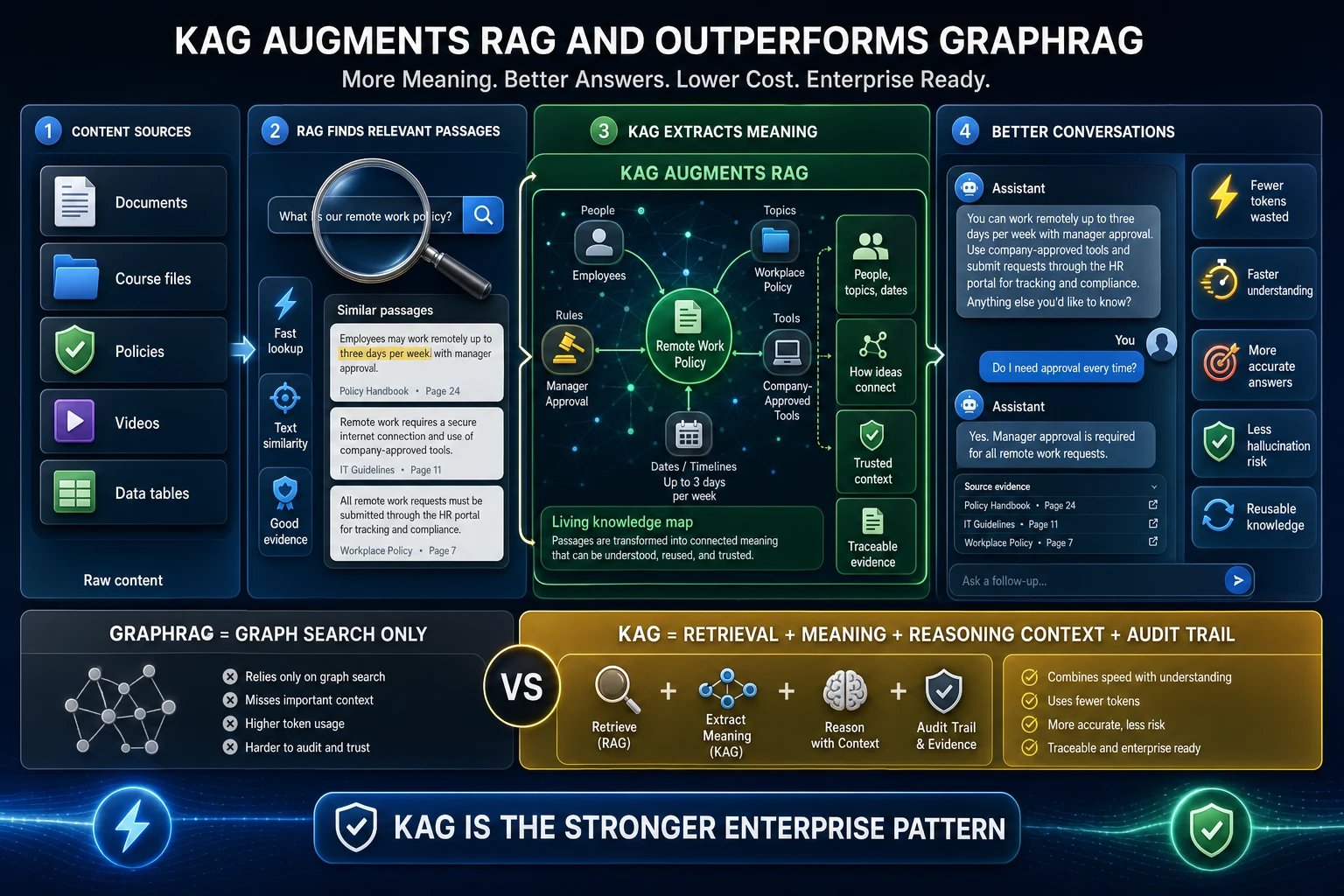
How Pria's KAG augments RAG — and why it's the stronger enterprise pattern compared to GraphRAG.
How a grounded answer comes together
- Content sources — documents, course files, policies, videos, and data tables become searchable once indexed.
- RAG finds relevant passages — semantic similarity surfaces the specific text that matches your question (precise lookup).
- KAG extracts meaning — entities (people, topics, dates) and the relationships between them form a living knowledge map, connecting ideas that no single passage spells out.
- Better conversations — answers combine the direct text with that structured context, and every claim traces back to a source file you can open.
KAG vs GraphRAG
A popular alternative pattern, GraphRAG, answers from a knowledge graph alone. Searching only the graph tends to miss passages that were never distilled into an entity, leans on higher token usage to walk the graph, and is harder to trace back to an original source. Pria’s KAG keeps the dense RAG leg and adds the graph plus an audit trail of evidence, so you get the best of both:
The payoff shows up most on complex, multi-hop questions (“how does this policy affect that team’s approvals?”) where the answer threads through several documents rather than sitting in one paragraph.
Because KAG builds a graph from every file, it runs an extra extraction pass on top of RAG embedding — so it uses more credits than plain RAG, both when first enabled (existing files are back-processed) and as new files are added. Enable it where the richer answers are worth the processing. You can watch extraction progress in each file’s preview under Knowledge Graph — KAG, and browse the finished graph in the Tree of Knowledge view.
Relevance Scores
When your digital twin finds matching content in your files, it shows a relevance score indicating how semantically close the match is to your question. Matches are found by meaning, not just keywords, and scored on a 0–100% scale — the closer a passage is to what you asked, the higher its score.
By default, results below 45% relevance are filtered out. Administrators can adjust this minimum relevance threshold to control the trade-off between recall (more results) and precision (more relevant results).
For administrators: You can configure the minimum relevance threshold in your institution settings. You can also disable file uploads for users while retaining upload capabilities yourself, to control what content enters the knowledge base.
Technical Details: How File Search Works
Technical Details: How File Search Works
Your digital twin uses a technology called RAG (Retrieval Augmented Generation) to search your files. Here’s what happens behind the scenes:
1
File Processing
When you upload a file, the system breaks it into smaller sections (segments) and converts each section into a numerical representation called a vector embedding — a high-dimensional array of numbers that captures the semantic meaning of the text. Embeddings are generated by a dedicated AI model (e.g., OpenAI 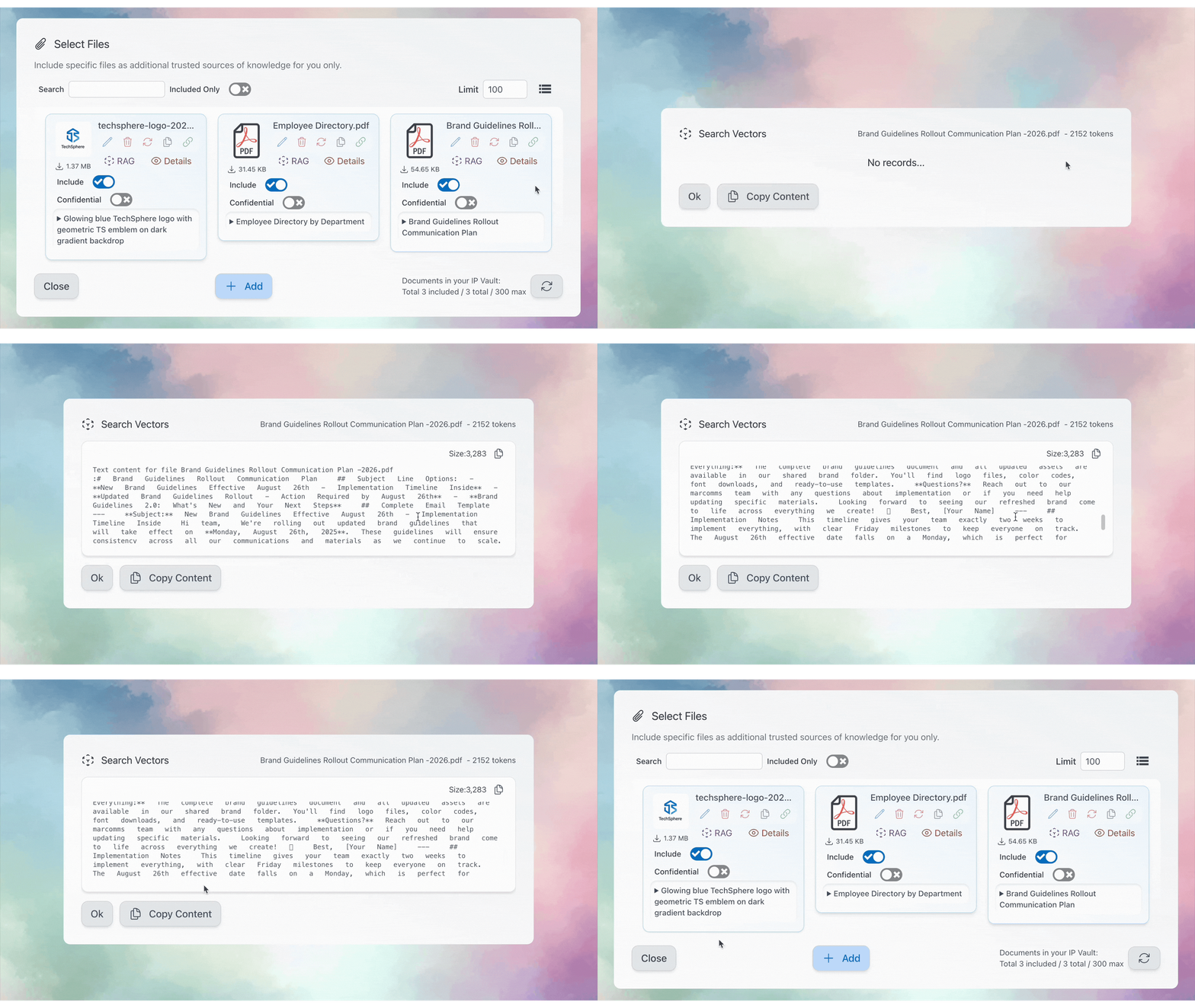
text-embedding-3-small, Amazon titan-embed-text-v2, or Google gemini-embedding-001).2
Question Analysis
Your question is converted into a vector embedding using the same model, allowing the system to mathematically compare your question against all your file sections in vector space.
3
Finding Matches
Pria compares the meaning of your question against every indexed section of your files and ranks the closest matches by relevance score.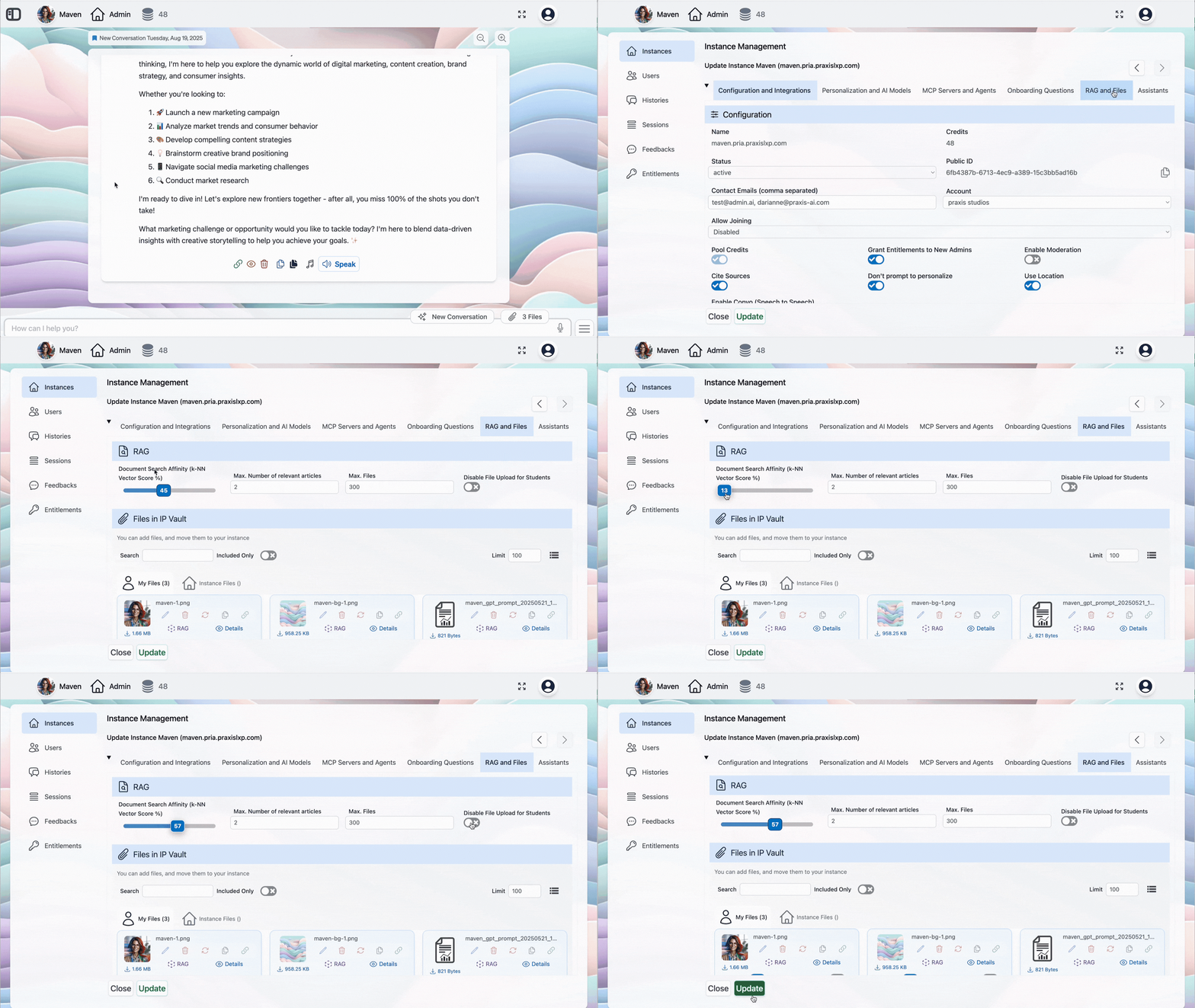
4
Relevance Threshold
Results below a minimum relevance threshold are filtered out (default: 45%). Administrators can adjust how strict the matching is:
- Higher threshold: Only highly relevant content is included — better precision
- Lower threshold: More content is included — better recall, but may be less directly relevant
Segment Size and Search Accuracy
When a file is processed, it is split into segments (also called “chunks”) before being converted into vector embeddings. The size of these segments has a direct impact on how accurately your digital twin retrieves relevant content.Research findings from studies by Chroma Research and multi-dataset analyses consistently show an inverse relationship between segment size and retrieval precision:Key insights from the research:
- Smaller segments match queries more precisely because the vector embedding represents a focused piece of content rather than a broad summary of many topics.
- Larger segments preserve more surrounding context but introduce noise — the embedding averages over more content, diluting the signal for any single topic.
- Industry defaults (e.g., 800 tokens with 400-token overlap) were found to score below average across all retrieval metrics.
- The optimal size depends on query type: fact-based questions benefit from smaller segments (256-512 tokens), while analytical questions requiring broader context may benefit from larger ones (1024+ tokens).